PRO
Applications
An Application is the core unit of the Pro experience. Each application has its own API policy, users, modules, and output behavior. This lets you serve multiple clients from one WordPress install without mixing rules across clients.
You can create as many applications as you need. Each one is independent.
Manage Applications
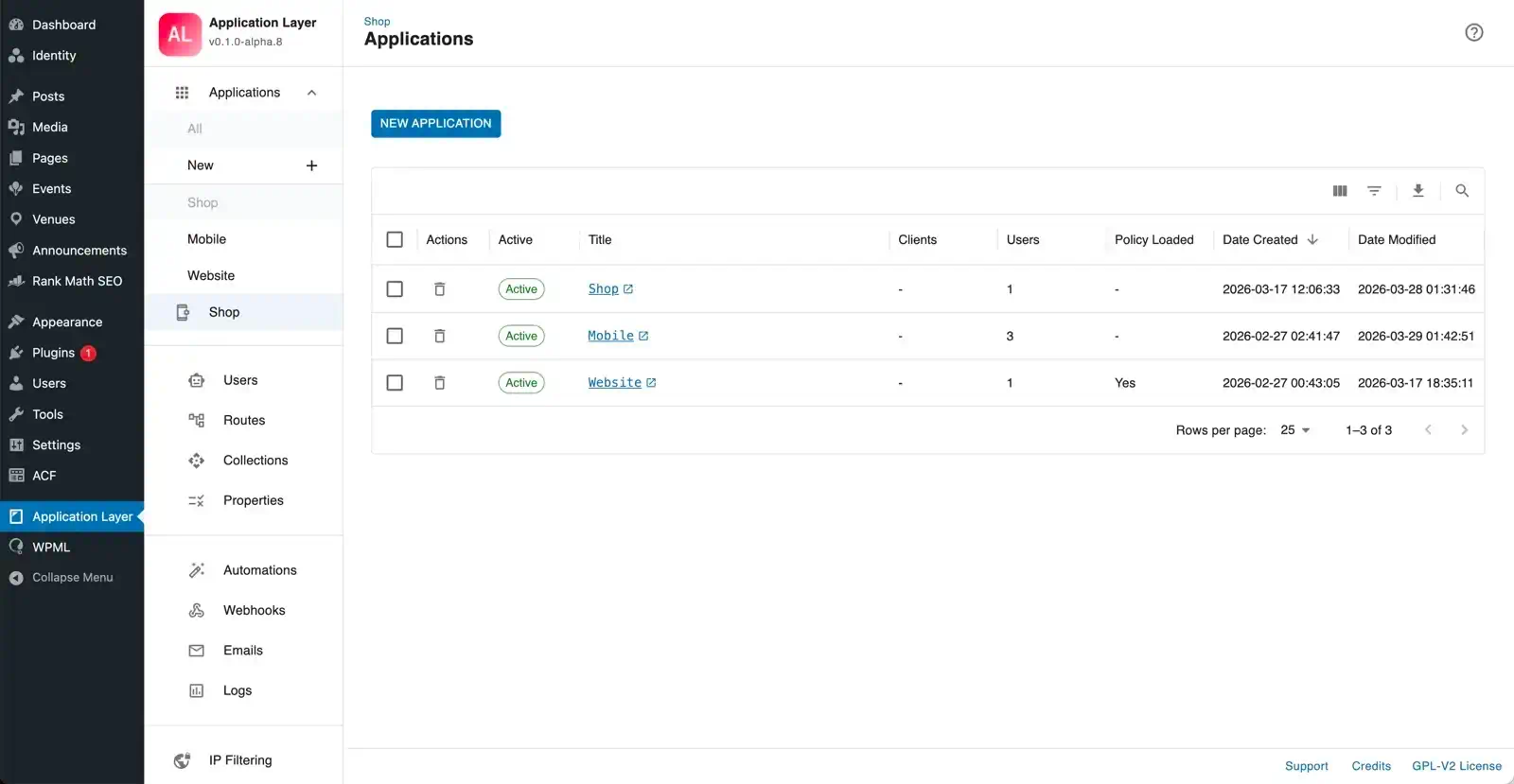
The list view is the entry point for managing all your applications.
- Create a new application with the add button.
- Enable / Disable an application with the toggle. A confirmation dialog requires you to type the application name before the change is applied — this prevents accidental deactivation of a live application.
- Delete an application permanently. A confirmation dialog requires you to type the application name before deletion proceeds.
- Open any application to access its editor and module configuration.
When at least one application is enabled, unmatched requests are handled by route type:
- Core WordPress routes can be blocked or redirected depending on your mode.
- Plugin routes can still be governed by route policy without being hard-bound to a single application.
Configure an Application
Each application has its own editor with two areas:
Settings Tab
- Title — display name used throughout the admin.
- Description — optional notes for your own reference.
- Enabled — activate or deactivate the application without deleting it.
Control Modules
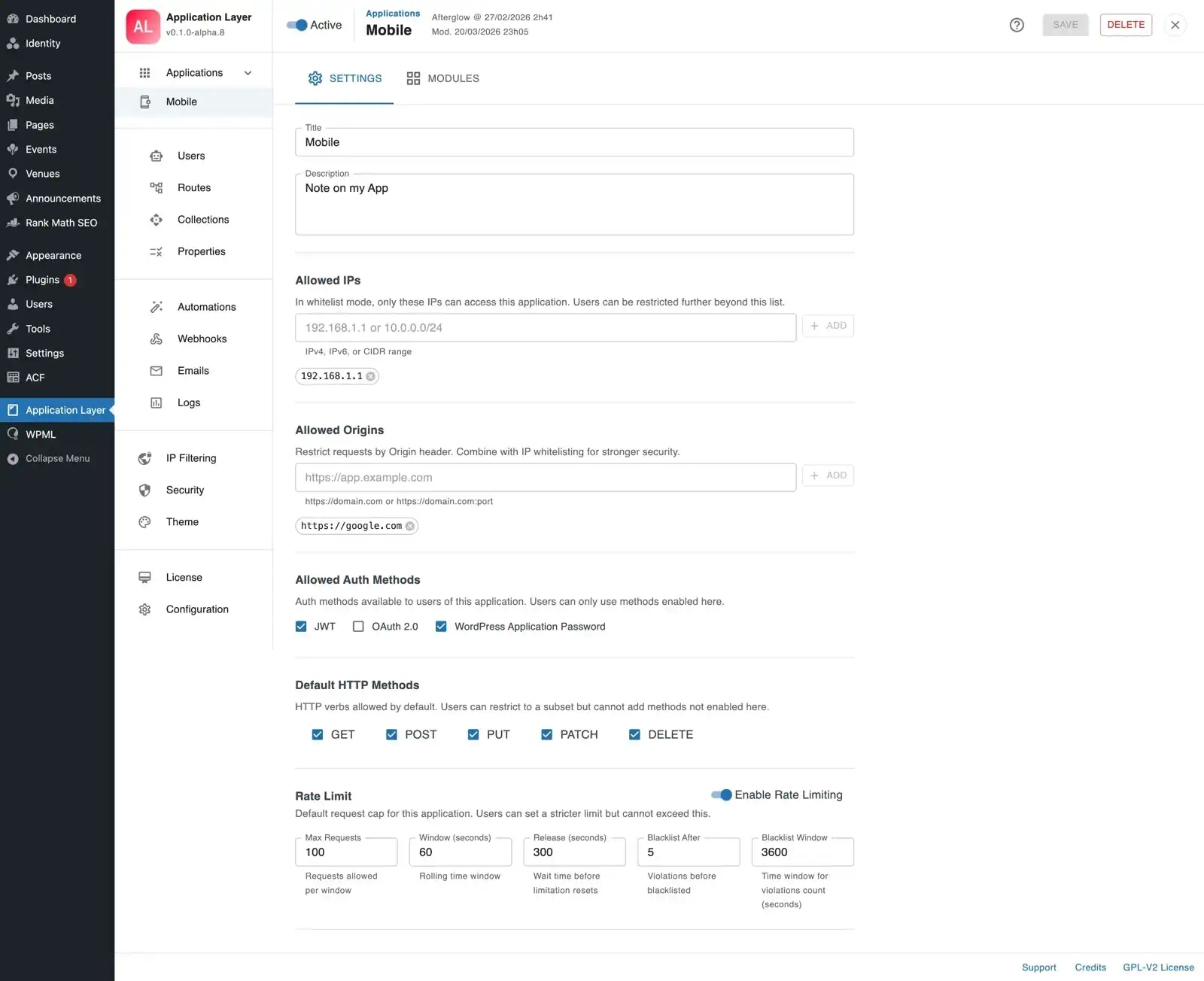
The Modules tab gives a compact overview and per-module toggle entry points.
- Use it to confirm which modules are active for the current application.
- Jump directly to module-specific screens.
- Keep noisy modules disabled on applications that do not need them.
Modules
Each module can be toggled on or off at the application level. A module must also be globally active to take effect. The editor shows a summary of the current configuration for each module and a direct link to its dedicated settings panel.
| Module | Description | Doc |
|---|---|---|
| Auth & Rate Limiting | Auth methods, allowed origins & IPs, HTTP methods, users and per-user overrides | → Auth & Rate Limiting |
| IP Filtering | Additional application-scoped blocks: CIDR ranges, country blocking, retention time | → IP Filtering |
| Routes Policy | Per-route auth, rate limit, disable, user restriction | → Routes |
| Properties & Models | Response transforms, per-property control, custom schemas | → Properties & Models |
| Collections | Per-page limits, drag-and-drop sort order | → Collections |
| Automations | Event-driven workflows with conditions and actions | → Automations |
| Webhooks | Outbound webhook entries with event triggers | → Webhooks |
| Emails | Transactional email templates with SMTP | → Emails |
| WordPress Mode | Applications-only mode, trusted IPs, emergency token | → WordPress Mode |
Configure Auth & Rate Limiting
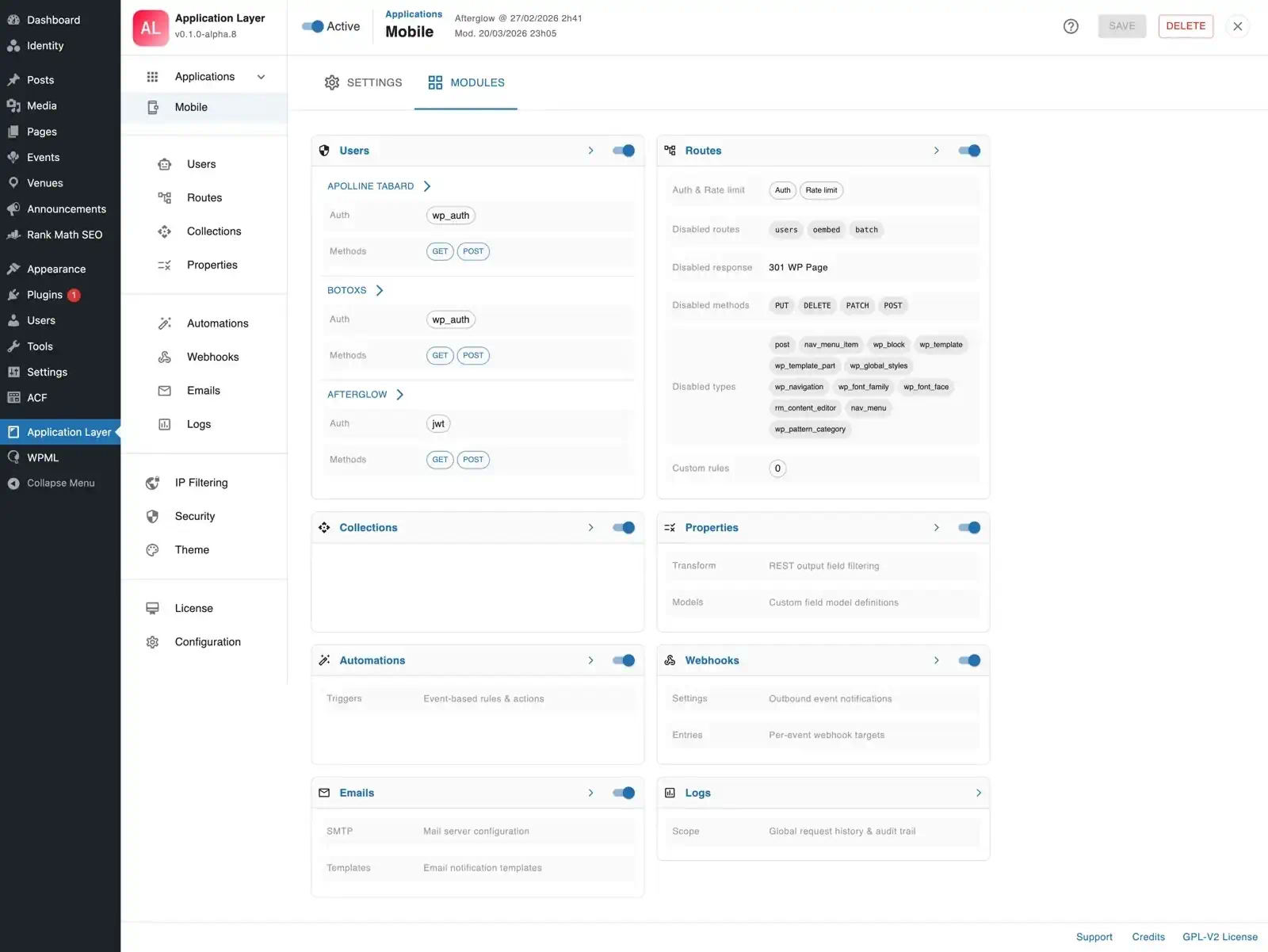
See the dedicated Auth & Rate Limiting page for full documentation of application-level defaults, the users list, and the user editor.
Configure IP Filtering
Manages application-scoped IP blocking, layered on top of the Global IP Filtering module. Entries here only apply to this application.
- Blacklist — listed IPs or CIDR ranges are blocked for this application. Configurable retention time.
- Country blocking — block requests by country using GeoIP data, scoped to this application.
- CIDR support — define ranges in addition to individual addresses.
See the dedicated IP Filtering page for full documentation.
Harden with Applications Only Mode
If enabled in WordPress Mode, the installation behaves as application-first:
- Unmatched core REST requests are redirected according to your configured destination.
- Unmatched plugin REST routes keep flowing through route-level controls.
Use this mode when WordPress is strictly an API backend and you want non-application traffic redirected away.
Plan Application Lifecycle Changes
- Disabling an application preserves all settings and entries.
- Deleting an application removes app ownership but can preserve related records for later reassignment workflows.
- License expiry or pro deactivation can be handled with a guided fallback export flow. See Migration & Fallback.
FAQ
Can multiple applications share the same origin?
Yes. The firewall resolves the application through a combination of identification steps: authenticated user, client IP, origin header, and custom header. It never relies on origin alone, as the origin header can be spoofed. Multiple applications can share the same origin provided they are distinguished by another identifier.
What happens when no application matches a request?
For core routes, unmatched requests are blocked (or redirected in applications only mode). Plugin routes can still be handled via route policy.
Can I test an application's policy before enabling it?
Yes. The Routes module includes a Test panel that lets you fire live requests through the current policy without exposing it to real traffic.