FREE PRO
Global IP Filtering
Global IP Filtering is a network-level firewall layer that runs before application resolution. Every incoming REST request is evaluated against the global blocklist regardless of which application it targets. A blocked IP or country never reaches application-specific logic.
This complements the Per-Application IP Filtering module (Pro only), which adds application-scoped rules on top. Use Global IP Filtering for shared threats — known bots, attack infrastructure, unwanted geographies. Use per-application IP Filtering for rules specific to one application.
How It Works
Incoming REST request
       │
       ▼
┌─────────────────────────┐
│  Global IP Filtering    │  ← Shared blocklist: IPs, CIDRs, countries (runs first)
└────────────┬────────────┘
             │  blocked → 403
             ▼
┌─────────────────────────┐
│  Application Matching   │  ← Which application owns this request? (Pro)
└────────────┬────────────┘
             │
             ▼
        … rest of pipeline
Admin-authenticated requests are exempt from this layer for operational safety.
Free Tier
Manual Blocklist
Add IPv4 addresses to the global blocklist manually. Blocked IPs receive a 403 response immediately.
GeoIP Statistics
Read-only geographic statistics of incoming requests are visible. Country-level blocking requires Pro.
Pro Tier
CIDR Ranges
Block entire IP ranges using CIDR notation (e.g. 10.0.0.0/8, 192.168.1.0/24). Supports both IPv4 and IPv6.
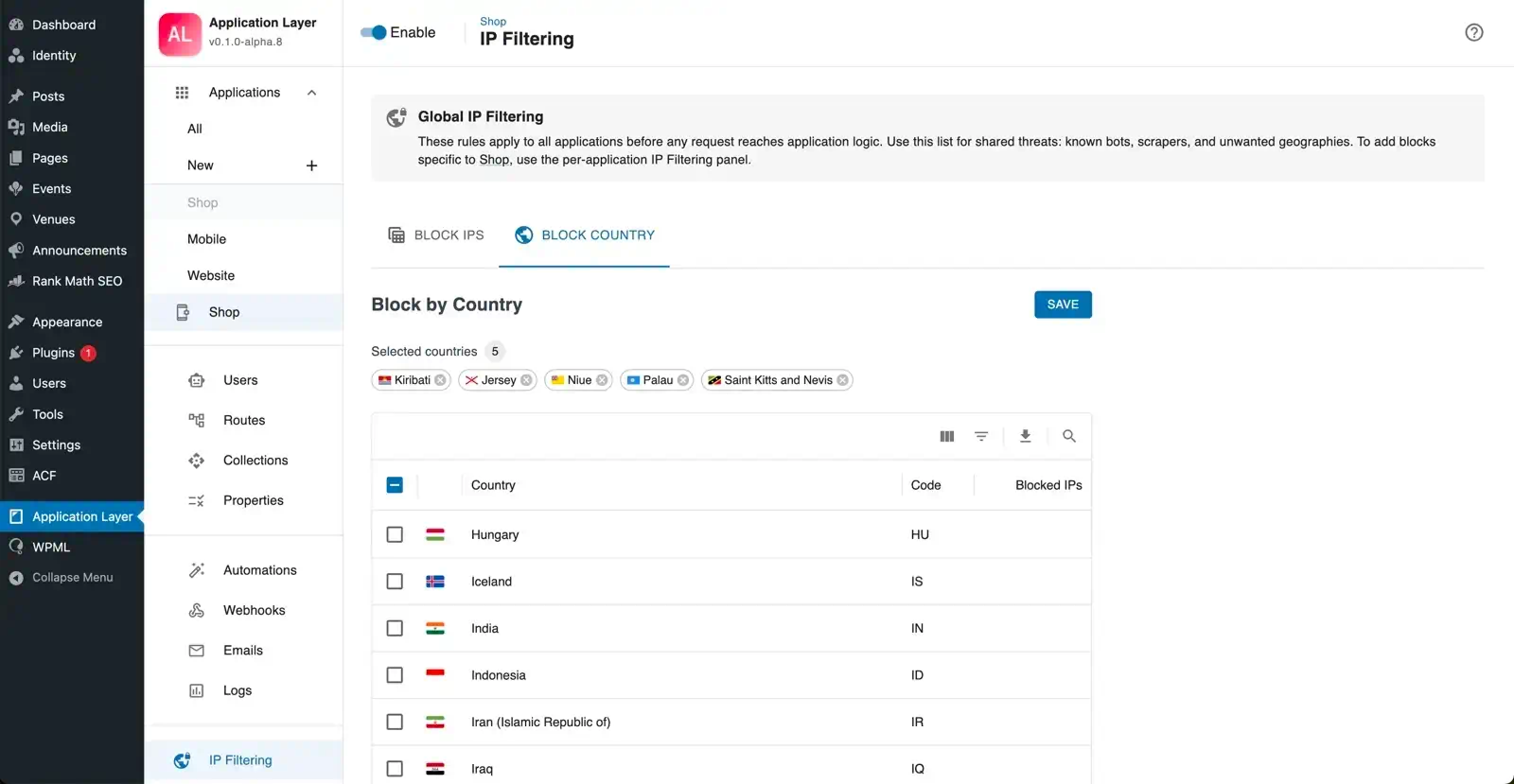
Country Blocking
Block all requests originating from one or more countries using GeoIP data. Country rules are evaluated after the IP/CIDR check. Configuring no countries disables the country check entirely — there is no performance cost when the list is empty.
Retention Time
Set a global retention period. Entries without a specific expiry inherit this value and are automatically removed when it elapses.
Trusted IPs Interaction
If you use pro WordPress Mode, trusted IPs are treated as an explicit bypass list for high-lockdown scenarios.
IP List Management
The IP list shows all active global entries. For each entry:
- Add an IP or CIDR range manually.
- Delete one or more entries individually or in bulk.
Entries show the IP address, source (manual or auto-detected), detected country, and — in Pro — the expiry time.
Relationship to Per-Application IP Filtering
| Layer | Tier | Scope | Runs at |
|---|---|---|---|
| Global IP Filtering | Free + Pro | All applications | Before application resolution |
| Per-Application IP Filtering | Pro only | One application | After application resolution |
An IP that passes the global check can still be blocked at the per-application level. An IP blocked globally never reaches application logic.
FAQ
Does the global blocklist affect admin users?
No. Requests from logged-in administrators bypass the global check.
Can I use Global IP Filtering without Pro?
Yes. Manual IPv4 blocking is available in the free tier. CIDR ranges, country blocking, and retention time require Pro.
Where do auto-blacklisted IPs from rate limiting go?
Rate-limit auto-blacklisting writes to the global list.
Should I use only global or only per-application filtering?
Use both: global for shared threats, per-application for client-specific restrictions.
What HTTP status does a blocked request receive?
403 Forbidden with a JSON error body.